
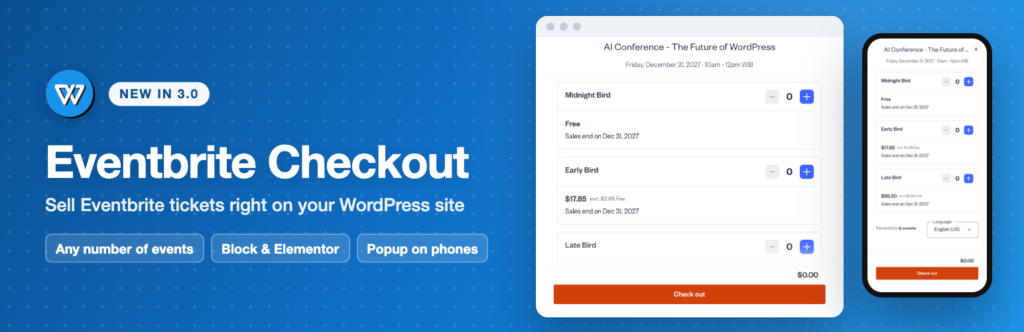
Version 3.0 of WP Eventbrite Embedded Checkout is the biggest update since the plugin launched in 2019. The headline: you can now sell tickets for as many Eventbrite events as you like, for free.
Any number of events, free
Until now, the free plugin showed one event, set once in its settings, and selling tickets for more events needed Pro. In 3.0, every block, Elementor widget and shortcode has its own event. Paste the event’s link from Eventbrite, or its event ID, and that’s it: one event per page, or several on the same page.
An Eventbrite Checkout block, with the real checkout in the editor
Add the Eventbrite Checkout block, paste your event’s link and click Show checkout. The live Eventbrite checkout appears right in the editor, so you see what visitors will see. In the sidebar, pick one of two pictures: On the page, or a Button that opens a popup.
An Elementor widget
Elementor users get an Eventbrite Checkout widget with the same options and a Style tab for the button: typography, colours, border and spacing.
Popup on phones
Eventbrite recommends its popup on phones, because it opens full screen. With Popup on phones on, a checkout on the page shows a button on small screens instead, while larger screens keep the checkout on the page. It’s on by default for new sites; sites that updated from version 2 start with it off, so nothing changes until you turn it on under Eventbrite → Settings.
Your colours, your button, your promo codes
- Checkout colour: put your brand colour on Eventbrite’s buttons and links.
- Button: match your theme’s buttons or use a simple style, change the text, and pick your own button colours.
- Promo codes: apply one of your Eventbrite promo codes when the checkout opens.
Know when a ticket sells
Under Eventbrite → Advanced you can send an eventbrite_purchase event to the Google Analytics, Google Tag Manager and Meta Pixel tags already on your site, and send buyers to your own thank-you page after their order.
A Get started page
After activation, the Get started page asks for your event once. Every new block and widget then starts with it, and one click creates a page with the block or the Elementor widget already in place. There’s also a shortcode builder for the classic editor and other page builders.
Your existing checkouts keep working
If you used version 2, there’s nothing to do. [wp-eventbrite-checkout] without options shows the same event, in the same way, as before. Version 3.0 needs WordPress 6.6 or newer; older sites stay on version 2.
One change you may notice: the small “Widget by wpevent.pro” link under embedded checkouts is now off by default. You can turn it on under Eventbrite → Settings if you’d like to.
If you bought Pro
Thank you. Your support kept this plugin going. Here’s what 3.0 means for you:
- Your
[wpeecpro]shortcodes keep working, with the Pro plugin active and also without it. - You can still download Pro from your Purchase History.
- Your lifetime licence covers the next Pro version when it comes out.
Since multiple events are now free, the current Pro is no longer on sale.
What should come next?
We’re considering an update that brings more of your events into WordPress: your Eventbrite events listed in the dashboard to pick from, event details Google can show in its results, and ticket sales by page and campaign. Tell us which you’d use. It takes a few seconds, and it decides what we build next.
Get WP Eventbrite Embedded Checkout 3.0 on WordPress.org · See the embedded demo · See the popup demo